

Letter4U
Create cute, interactable, and so pretty digital gifts and love letters
Social Kenji Buena


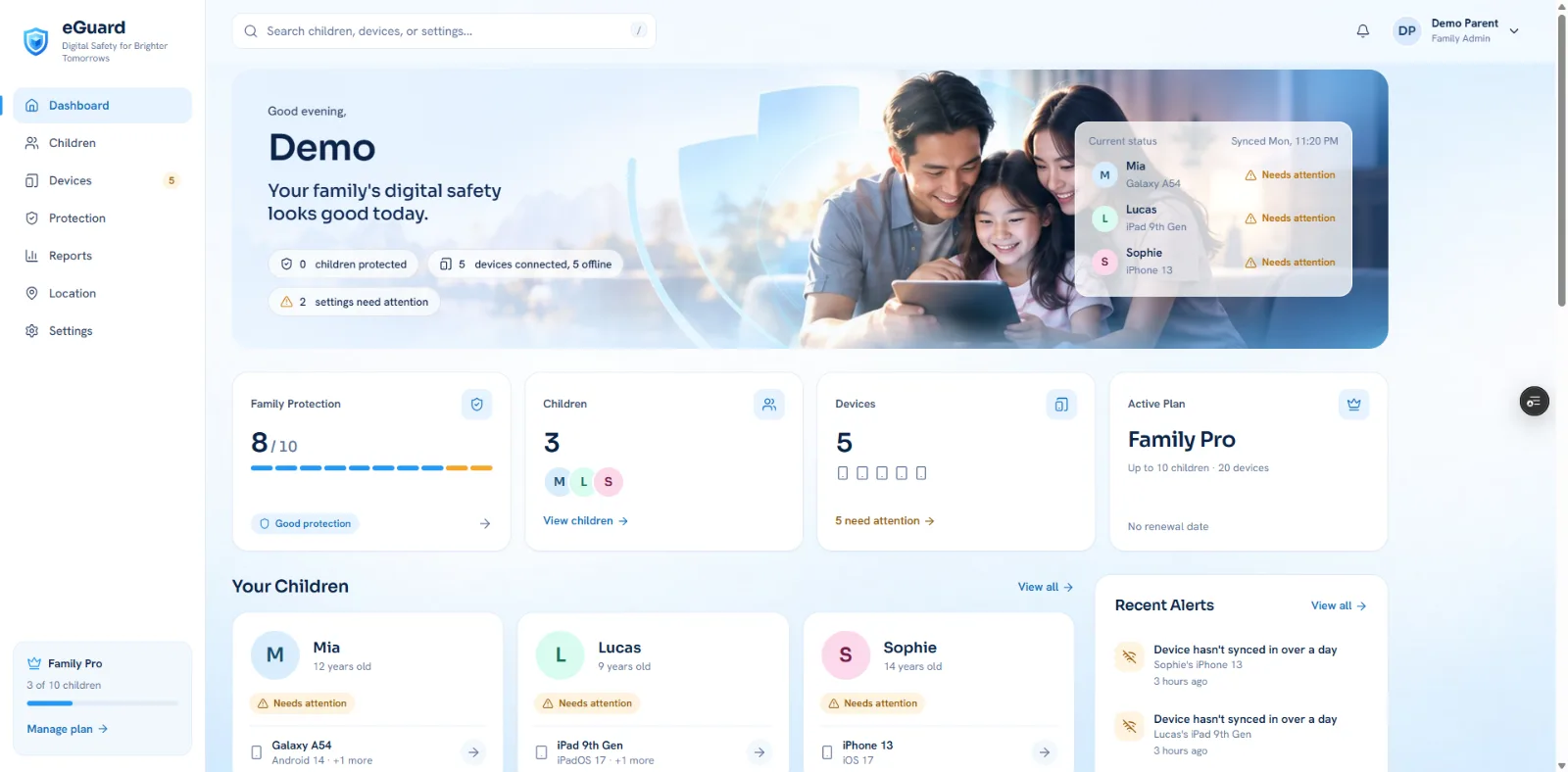
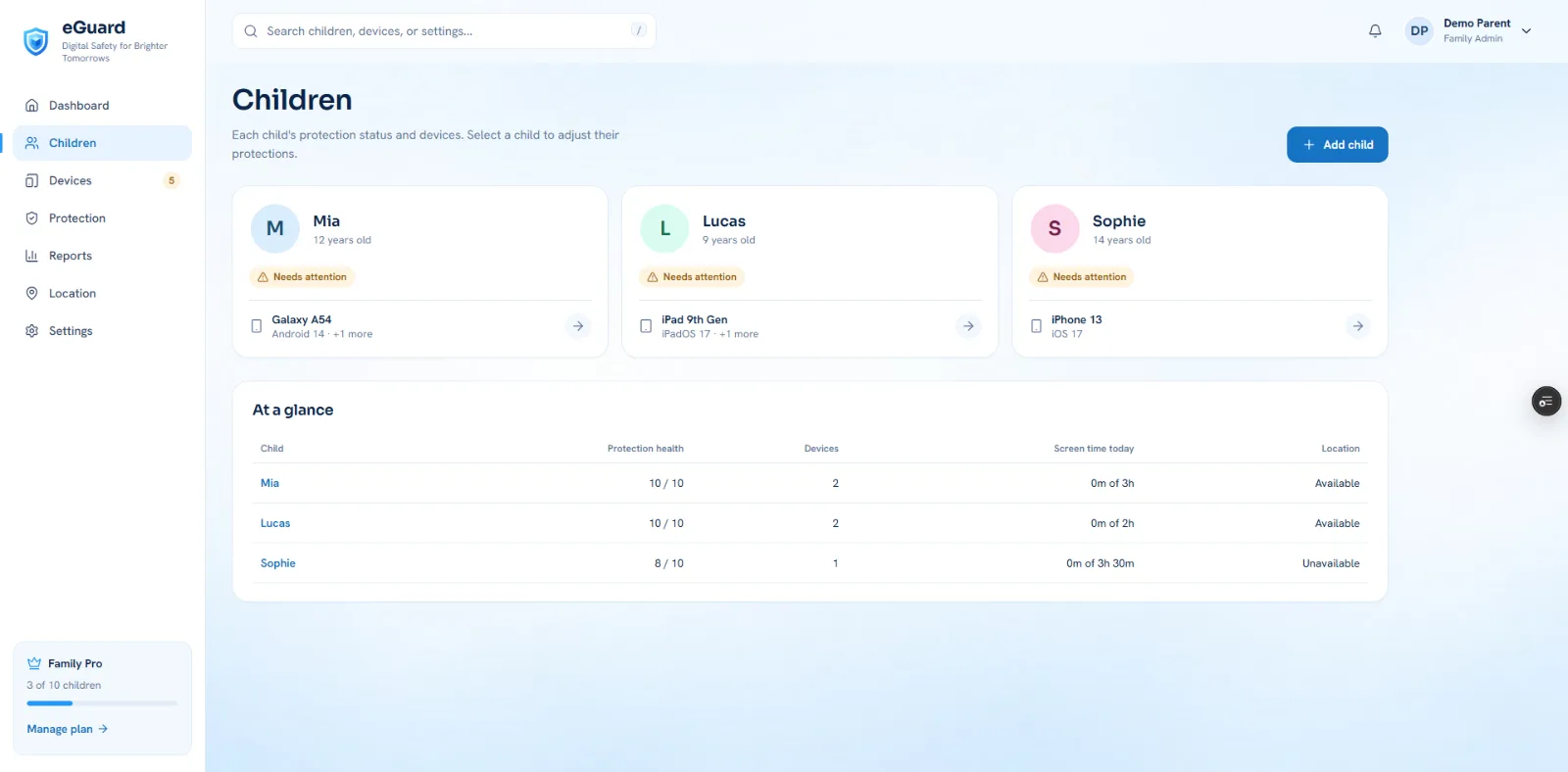
Set screen time, bedtime and app rules for your child, and know they're working.
Most parental control apps tell you a setting was saved. eGuard waits until your child's device confirms it. If a setting fails, is turned off, or a device stops checking in, you'll know.
SET UP PROTECTION IN MINUTES
• Add your child, pick a profile (Protected, Balanced or Custom), and eGuard suggests settings for their age
• Pair your child's device with a one-time code
• eGuard applies each setting and checks it on the device
PROTECTIONS YOU CAN MANAGE
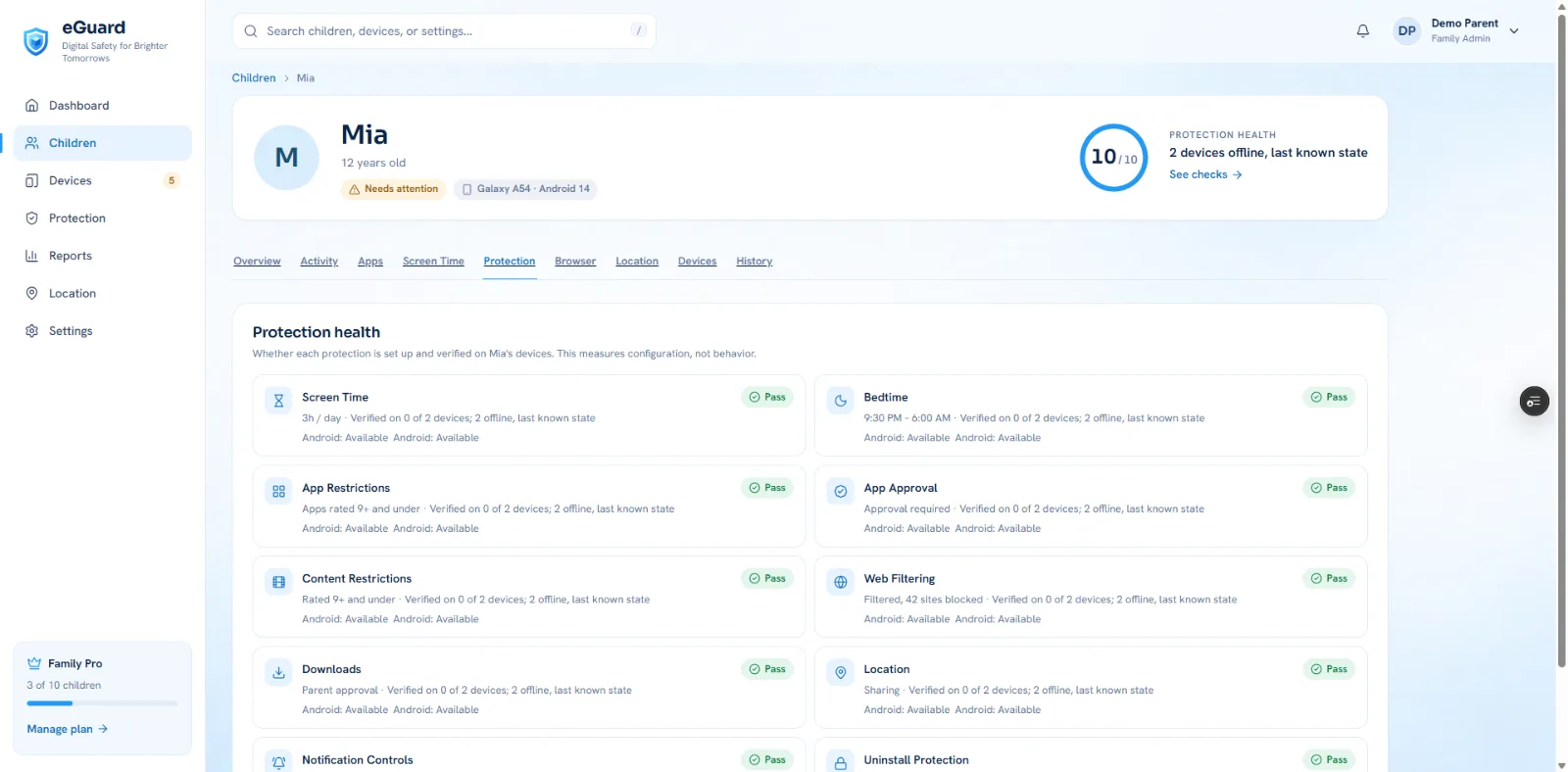
• Screen time: daily limits, with a separate weekend limit
• Bedtime: pause the device overnight, every day or on school nights
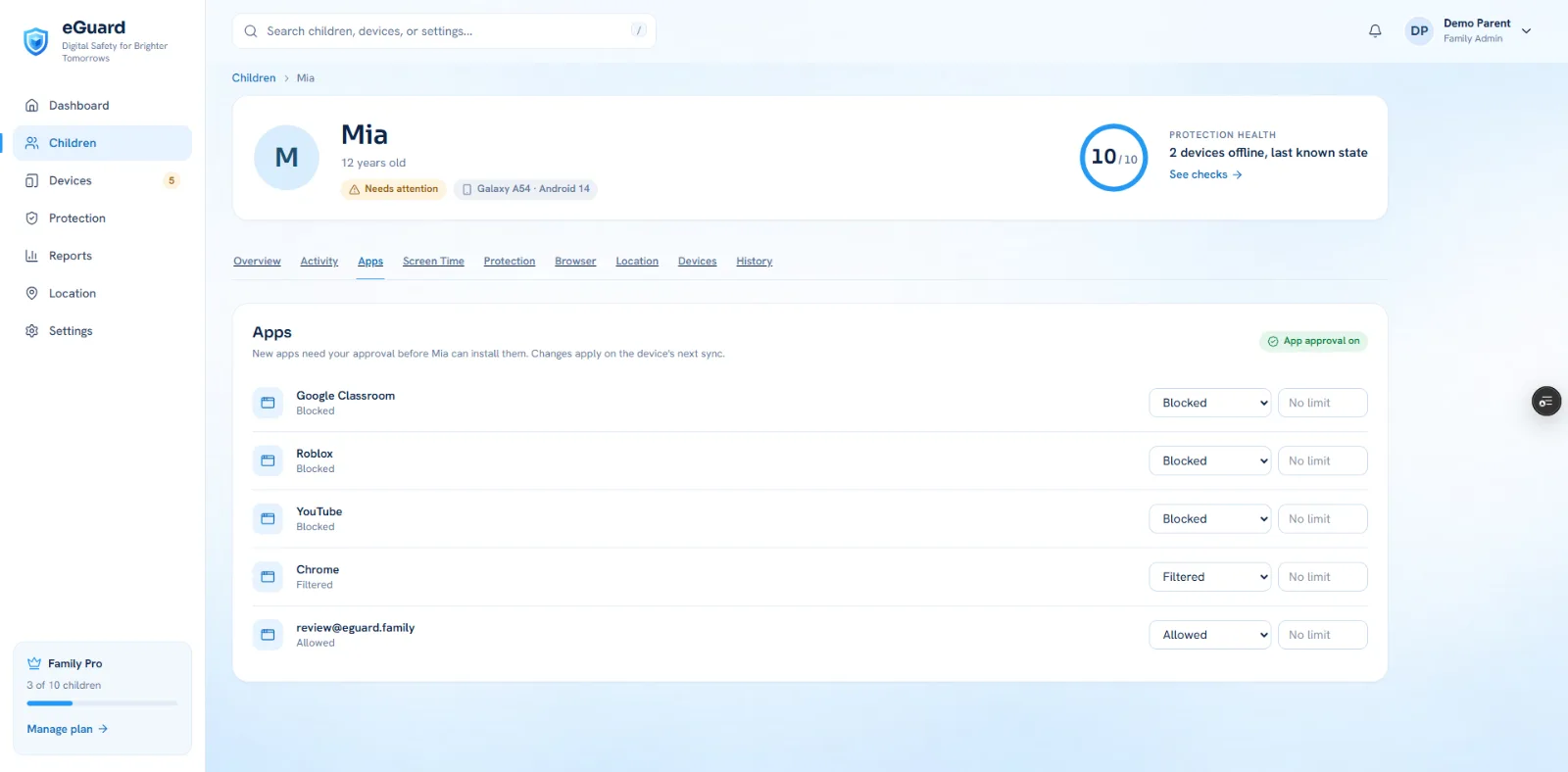
• Apps: age-rating limits, per-app daily limits and blocking
• App approval: your child asks, you approve or decline
• Content: age ratings for movies, TV and books
• Web filtering: block adult sites or allow only the sites you choose
• Downloads: require your approval to install apps
• Location: see where your child's device is now
• Notifications: keep the device quiet during bedtime
• Uninstall protection: stop eGuard from being removed without you
CONFIGURATION HEALTH
One score shows how well each child's devices are protected. It has 10 checks, one per protection, and every check is based on what the device reports. It measures settings, never your child's behavior.
ALERTS WHEN SOMETHING CHANGES
eGuard tells you when a protection is turned off, a device goes offline, your child reaches a limit, a new app is installed, or an app is waiting for your approval. Each alert takes you to the fix.
SCREEN TIME AND APP REPORTS
See today's screen time against the limit, a 7-day trend, an hour-by-hour chart and the most-used apps.
BUILT FOR THE WHOLE FAMILY
• Add a second parent to share the work
• Works with Android phones and tablets, iPhone and iPad
• Also available on the web at www.eguard.family
PRIVACY FIRST
• eGuard never reads messages, browsing content or photos on your child's device
• By default only the current location is kept, not a trail. Location history is off unless you turn it on
• Activity is deleted automatically after 90 days
• Export or delete your family's data at any time
PLANS
eGuard is free for 1 child and 2 devices. eGuard Plus and Family Pro add more children and devices, location sharing, full app monitoring and advanced reports.
eGuard is a parental control app. Your child's device shows that eGuard is active, and children 13 and older are asked to agree to supervision on their device.
Create cute, interactable, and so pretty digital gifts and love letters
Practice interviews and scan resumes 100% offline with on-device AI.
Your Personal co-pilot
Sign in to join the discussion.
Sign in to commentBased on 0 reviews


No comments yet. Start the discussion with something useful.