
CertifCat — Create polished certificates without the usual friction
CertifCat makes professional certificate creation feel approachable with a free browser editor, bulk generation, and exports without sign-up or watermarks.
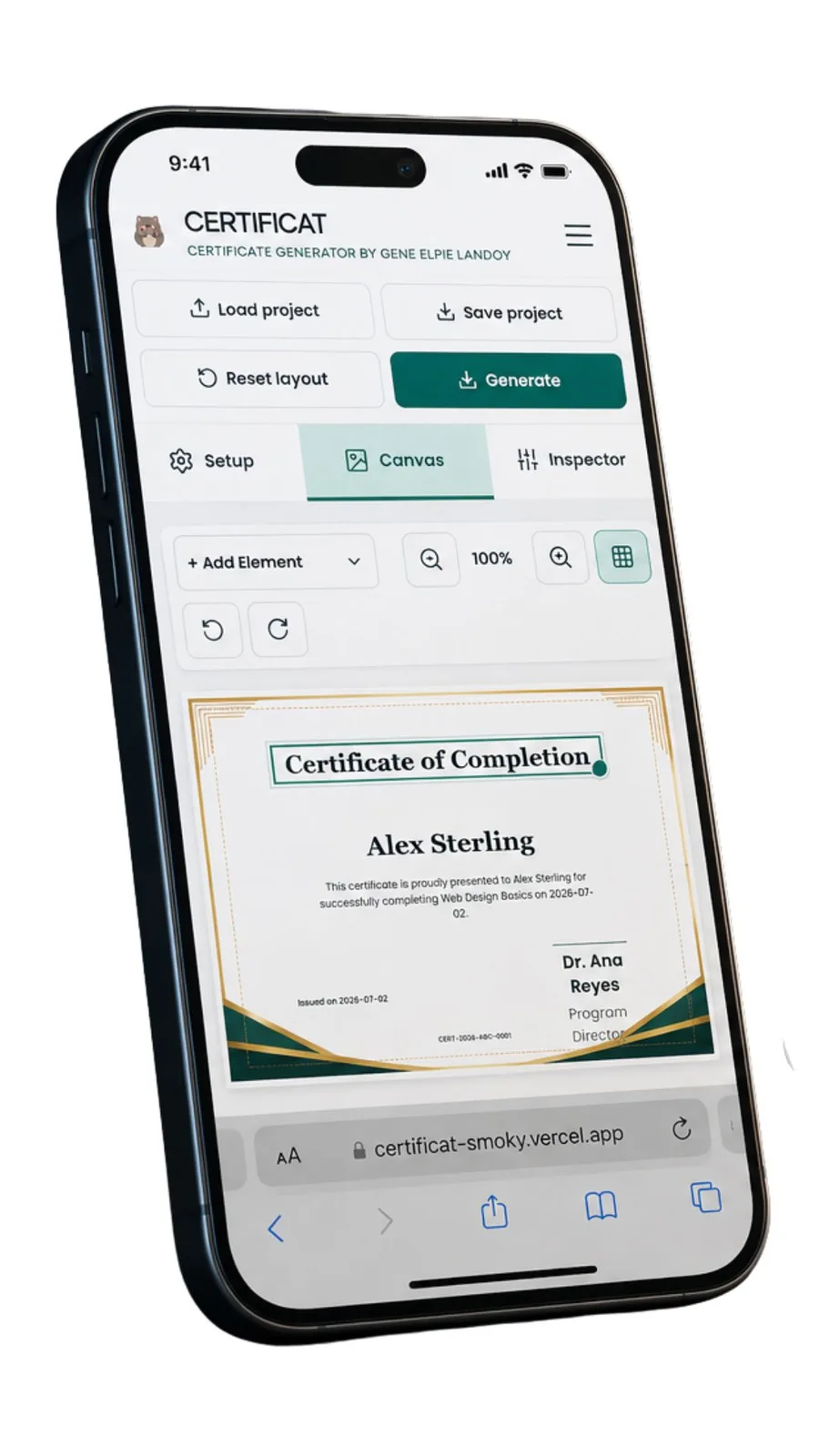
CertifCat solves a very practical problem with an unusually clear promise: make professional certificates without expensive software, subscriptions, or mandatory account registration. The app brings certificate design into the browser and gives users a focused set of tools for creating something that feels official, personal, and ready to share.
Recognition should be easy to prepare
Certificates are often the final, visible expression of a class, event, training program, competition, or community effort. The moment deserves care, but preparing the document can become a project of its own. CertifCat makes the first step easier with an intuitive drag-and-drop editor, so users can work directly on the design instead of wrestling with a complicated setup.
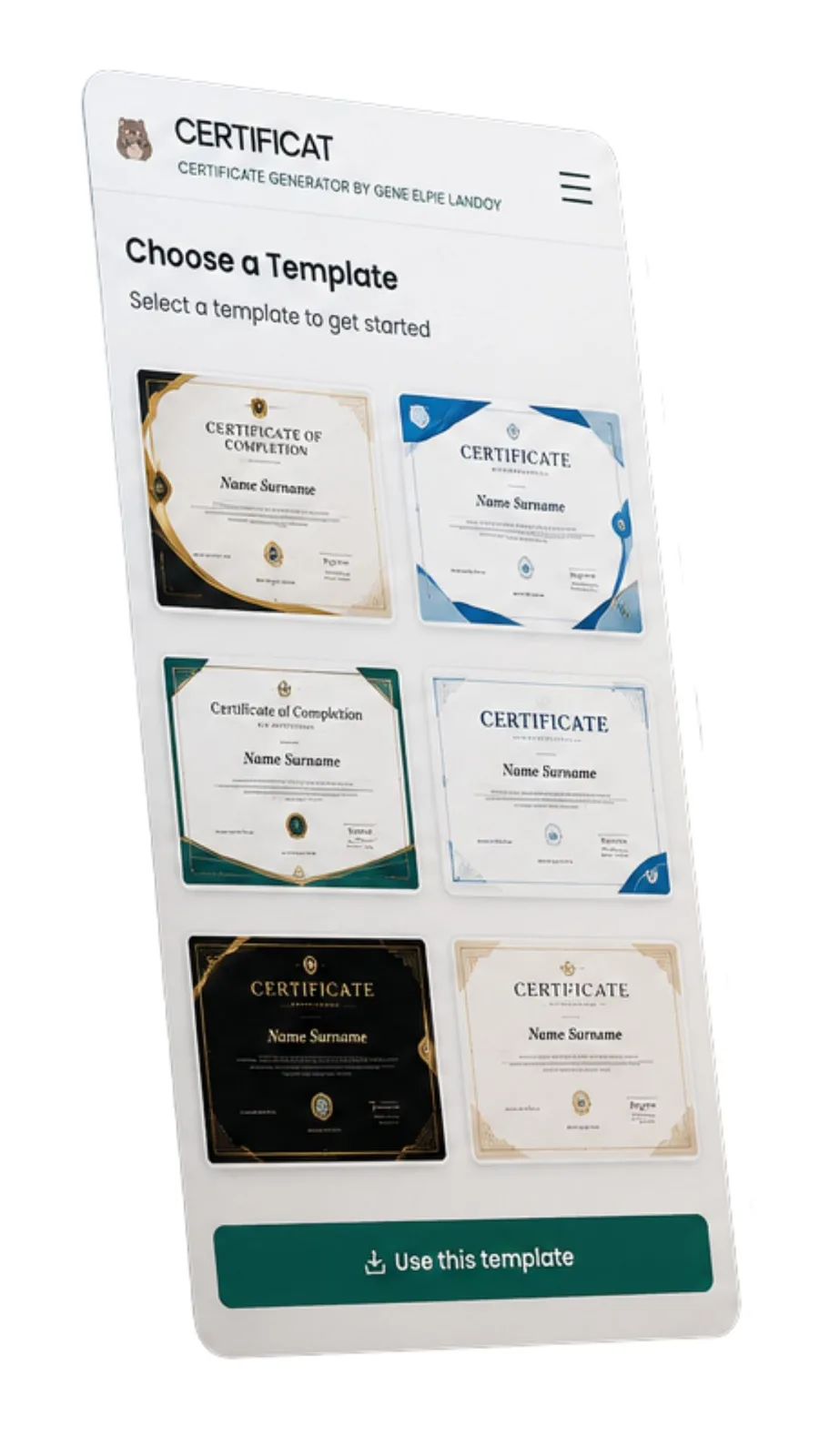
I like that the product treats design and administration as part of the same task. A certificate needs to look good, but it also needs the right name, date, organization details, signatures, and visual identity. The listing describes tools for custom fonts, signatures, logos, images, and dynamic recipient data, which gives creators the flexibility to make the final result feel specific to the occasion.
Useful when the list gets long
The bulk certificate generation feature is where CertifCat becomes especially compelling. A single certificate can be manageable, but a webinar, seminar, conference, classroom, or training program may involve dozens or hundreds of recipients. The ability to work with dynamic data means the design can remain consistent while the individual details change.
That is a thoughtful balance. The organizer gets a repeatable process, while each recipient still receives something that recognizes them by name. CertifCat feels designed for the moment when a small creative task becomes a real administrative workload, and it gives that workload a more organized shape.
Browser-based and ready to share
Because CertifCat runs in the browser, there is no need to install a large design program before getting started. The web format also makes sense for the groups the app is built around: educators, schools, event organizers, businesses, and community groups may all need a tool that can be opened quickly and used by people with different levels of design experience.
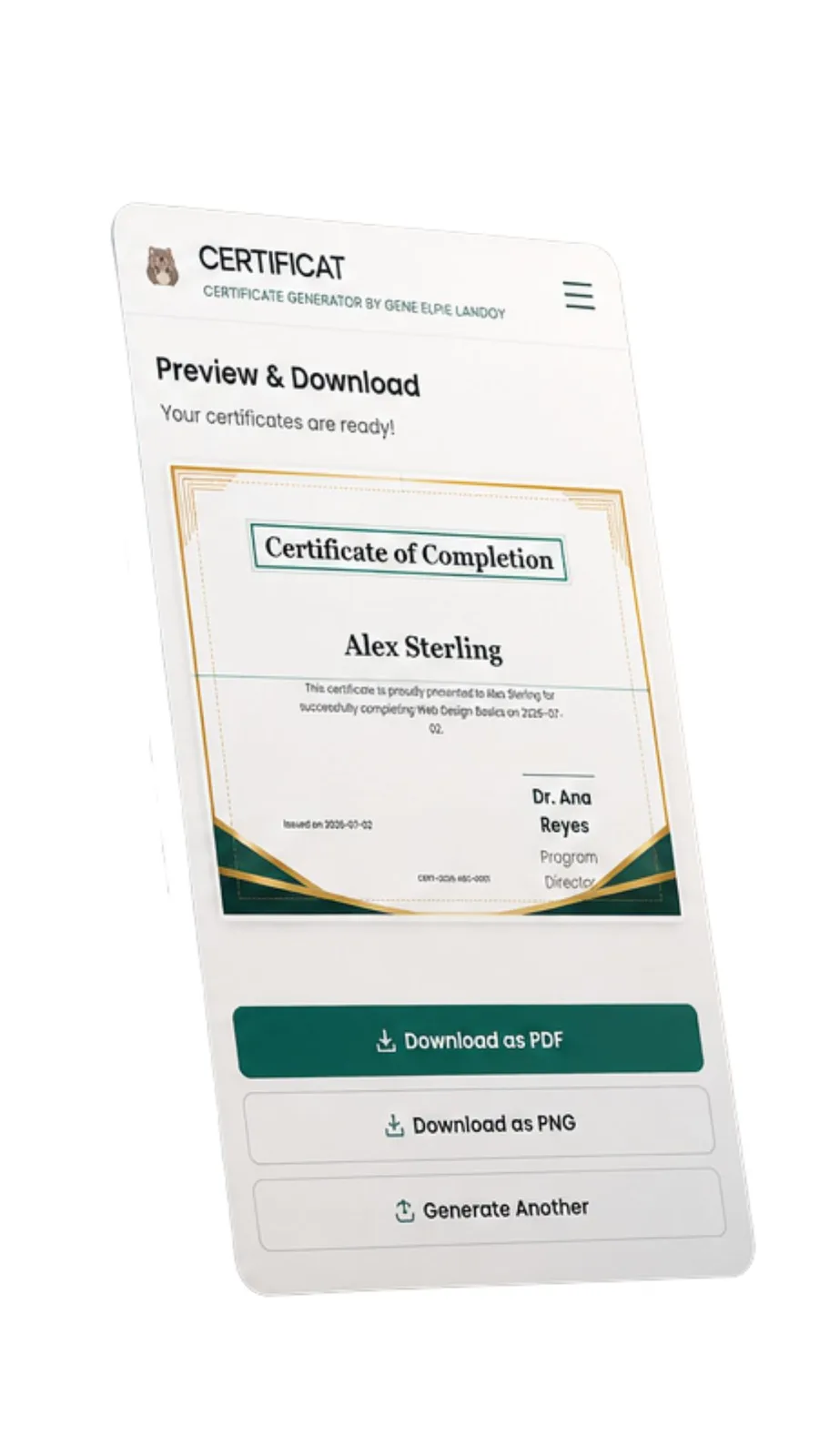
The export options add a practical finish. Users can generate certificates as high-quality PDF or PNG files, which covers the common ways people share, print, archive, or present this kind of document. The workflow stays focused from design to final file.
No sign-up barrier, no watermark surprise
There is a refreshing directness in CertifCat being free, requiring no sign-up, and adding no watermarks to exported certificates. Those choices matter because the person creating a certificate may be working on behalf of a class, a volunteer group, or a one-time event. The tool does not make the occasion wait behind an account flow or leave an unwanted mark on the final recognition.
That accessibility gives the app a generous character. It is not only for people who already know design software or manage a large organization. It is for anyone who needs a polished certificate and wants to get on with the meaningful part of the work.
A focused tool with a real use case
CertifCat leaves a strong impression because it understands the difference between making a design and making recognition happen. The drag-and-drop editor, flexible personalization, bulk generation, and straightforward exports all support the same goal: create certificates that look intentional without adding unnecessary friction. For schools, events, organizations, and community groups, it feels like an easy tool to keep in mind whenever a well-earned achievement deserves something tangible.
CertifCat · image 1
CertifCat · image 2
CertifCat · image 3